
Google Business Profile Suspended? Here’s How to Recover It
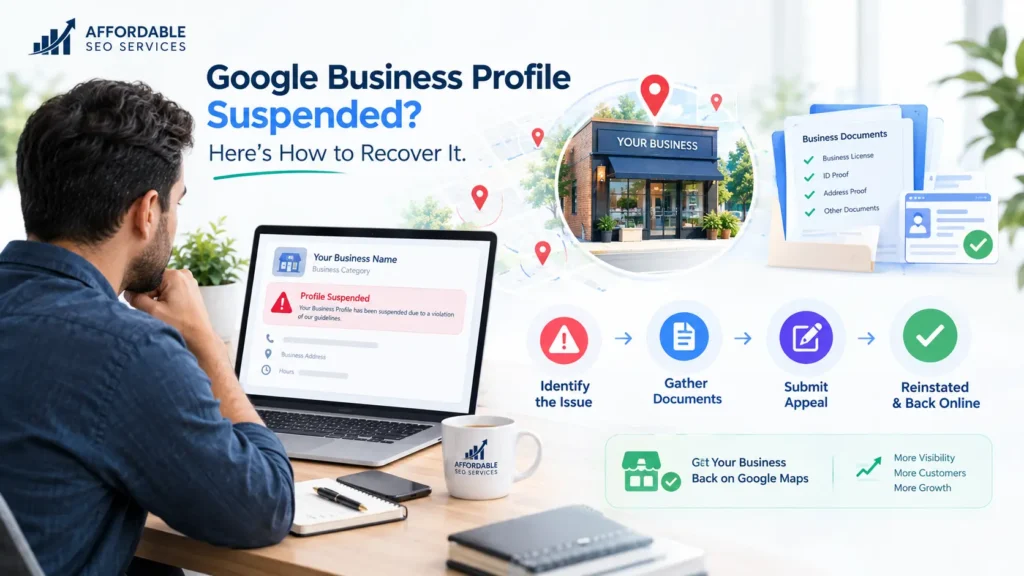
If your Google Business Profile is suspended, Google has flagged it for breaking its guidelines. A soft suspension keeps the listing visible but locks you out; a hard suspension removes it from Search and Maps. To recover it, fix the violation, gather documents that match your profile, and submit one appeal in the Google Business Profile appeals tool. A suspended Google Business Profile can cut off calls and map traffic overnight, and the notice rarely explains why. The product used to be called Google My Business, so plenty of owners still search for “Google My Business suspended” when this happens. Whatever you call it, Many legitimate businesses can seek reinstatement by correcting the underlying issue and submitting an appeal with supporting evidence. At Affordable SEO Services, local search visibility is a big part of the work we do for small businesses. This article gives you everything you need to handle the appeal yourself. Key takeaways [IMAGE: Mockup of a Google suspension notice email | Alt text: Example of a Google Business Profile suspended email notification] What Does It Mean When Your Google Business Profile Is Suspended? A suspension means Google has limited or removed your listing because it believes the profile breaks its rules. In local SEO circles, this gets shortened to “GBP suspended” or “GMB suspended.” All three phrases describe the same situation. Soft Suspension vs Hard Suspension Google doesn’t use these two terms officially. Practitioners created them, and they’re a quick way to judge how serious your situation is. Soft suspension Local SEO platform BrightLocal describes a soft suspension as a listing that still appears in search, but that you can no longer manage. The profile sits in an unverified state, open to edits or removal requests from other users. Hard suspension The listing is removed from Google and Google Maps, and it can lose its reviews entirely. It also disappears from the Local Pack, the group of map results that shows above regular results for local searches. For most local businesses, that’s where the majority of calls come from. A hard suspension is the more serious of the two. Customers who search your exact business name won’t find you at all. Is a Google Business Profile Disabled or Suspended? For practical purposes, disabled and suspended profiles are the same problem. Google’s help page covers them together and sends both through the same appeals process. An account restriction is different, and you have to resolve it first. Status What you see Where to fix it Soft suspension Profile still shows on Maps, but you can’t edit it, reply to reviews, or post Business Profile appeals tool Hard suspension Profile is gone from Search, Maps, and the Local Pack Business Profile appeals tool Disabled Profile can’t be accessed in your dashboard Business Profile appeals tool Account restricted Every profile you manage is suspended Google Account restrictions page first, then the appeals tool What If Your Google Business Profile Account Is Restricted? A restricted account suspends every Business Profile you manage, and you can’t create or claim new profiles until the restriction is lifted. You appeal the restriction from your Google Account’s My Account page, and only after it’s lifted can you appeal the profile suspension. Google explains the triggers in its Business Profile restriction policy. How Can You Tell Which Problem You Have? Four checks will tell you which kind of suspension you’re facing. Run them before you change anything, because the fix depends on the answer. The appeals tool gives you more detail than the email. It shows the restricted profile, the reason for the moderation action, and a link to the policy you violated. The owner and manager check matters more than most people expect. According to Google, if the owner’s account is removed, every location that account owns goes with it. If a manager’s account is removed, only that manager loses access, and the locations stay as they are. When a user on the account is the cause, BrightLocal recommends one of two fixes before you appeal. Either swap in a new owner account (ideally one on Google Workspace) or remove all managers. Why Was My Google Business Profile Suspended? Most suspensions trace back to a guideline violation, a risky edit, or a problem with an account tied to the profile. Sometimes the owner did nothing intentionally wrong. Google rarely names the exact cause, so check each area below against the Google Business Profile guidelines. Name, Address, and Hours Problems Your business name should match your signage and your state registration, with nothing extra added. Adding your city or main service to the name (“Smith Plumbing Dallas Emergency Plumber”) is keyword stuffing. It’s one of the most common reasons listings get suspended. Inconsistent NAP is another frequent trigger. NAP stands for your business name, address, and phone number. When those details differ between your profile, your website, and online directories, Google has less reason to trust that your business is real. Mismatched NAP details appear on nearly every list of common suspension causes. Addresses cause plenty of trouble too. P.O. boxes, UPS Store boxes, and virtual offices such as Regus or Davinci are high-risk locations for a listing. Coworking spaces aren’t banned outright. A shared space can work if someone from your business is there during your listed hours, your mail is delivered there, and your sign is posted. Service area businesses follow a separate rule. If you travel to customers, use your real address and hide it from public view in your profile settings. Your listed hours should reflect when your physical door is open. Showing “open 24 hours” when the office isn’t staffed around the clock can get you flagged, even if a call center answers the phone overnight. Editing Too Much at Once Bulk edits are a classic trigger. That means changing your name, address, phone, and category in one session. Real businesses rarely change these details, so Google treats a burst of changes as suspicious. BrightLocal suggests waiting about 60 seconds
How to Optimize Your Google Business Profile (2026)

To optimize your Google Business Profile, claim and verify your listing, choose the most accurate primary category, and complete every field so nothing is left empty. Then keep your name, address, and phone number consistent across platforms, add fresh photos, collect consistent reviews, post weekly, and check your profile insights. These steps improve your relevance, prominence, and visibility in the local pack and in Google’s AI answers. Your Google Business Profile is probably the most-visited page your business owns, yet most owners leave half of it blank. If you have ever searched your own business name and wondered why a competitor outranks you on the map, this is usually where the gap lives. This guide shows you how to optimize Google Business Profile listings step by step in 2026, from the basics most people get wrong to the AI changes almost nobody has caught up with. By the end, you will know exactly what to fix first and why it moves the needle. I have audited hundreds of profiles, and the pattern rarely changes. The businesses that win are rarely the ones with the biggest budget. They are the ones who finished the boring fields, stayed active, and earned reviews on a schedule instead of in a panic. Most local SEO tips you read online skip that unglamorous truth in favor of clever tricks, and the tricks rarely outperform the basics. The fundamentals below are what actually win local intent queries, the searches where someone is ready to act. If you want a second set of eyes on yours, the team at Affordable SEO Services does free profile audits, but everything below you can do yourself. What Google Business Profile Actually Does for Your Business A Google Business Profile is the free listing that shows your business on Google Search and Google Maps, including your hours, photos, reviews, and the buttons people tap to call or get directions. It is free, it takes minutes to claim, and for a local business, it is the single highest impact thing you can fix this week. You will still see Google’s old name for it, Google My Business, in plenty of places, so Google My Business optimization is simply the same job under an older label. The reason it matters so much is volume. Around 46% of all Google searches carry local intent, meaning the person is looking for something near them, according to figures Google has reported for years. And those near me searches convert fast. Think with Google found that 76% of people who search for something nearby visit a related business within 24 hours. Your profile is the storefront for all of that traffic, whether or not anyone ever reaches your website. There is a second reason that did not exist two years ago. Your profile now feeds Google’s AI. When someone asks a conversational question in Maps, Gemini reads your profile, your reviews, and your linked website to build an answer on the spot. A thin profile gives the AI nothing to work with, so it either skips you or guesses. Profile completeness used to be a nice goal. In 2026, it is the raw material for how you show up in AI-generated answers. How GBP Feeds the Local Pack, Google Maps, and AI Overviews Your profile powers three different surfaces, and they do not all behave the same way. The local pack is the block of three map results near the top of a normal Google search. Google Maps is the app and website people open when they already plan to look around. AI Overviews and Ask Maps are the newer layer, where Google summarizes an answer instead of handing back a list of links. Here is the part most guides miss. The local pack and Google Maps run on related but separate ranking logic, so a business can sit at the top of Maps and still get buried in the pack for the same search. That is normal, not a glitch. It means you cannot treat map pack visibility and Maps ranking as one job, and this is why Google Maps optimization and local pack work overlap but are not identical. You optimize the profile once, but you check your position on both surfaces, because the weighting shifts between them. The Three Ranking Factors Google Uses to Decide Who Shows Up Google ranks local results on three factors, and naming them honestly is the fastest way to stop wasting effort. These three GBP ranking factors are relevance, distance, and prominence. Relevance is how well your profile matches what the person searched for. A profile that clearly states what you do, in the right category, with detailed services, reads as more relevant than a vague one. Distance is how close you are to the searcher or to the area they named, and you cannot change your address, but you can influence how Google understands your service area. Prominence is how well-known and trusted your business looks, built from reviews, links, citations, and overall activity. Most owners pour energy into relevance and ignore prominence, then wonder why a competitor two miles farther away keeps beating them. Distance is fixed. Relevance is mostly set up. Prominence is the long game, and it is where reviews and consistency quietly decide the race. Keep these three in mind as you work through the steps, because every task below maps back to one of them. Step 1: Claim and Verify Your Google Business Profile You cannot optimize a profile you do not control, so claiming and verifying it is step one. If you have never claimed yours, search your business name on Google, look for the Knowledge Panel on the right, and click the option to claim or manage the listing. If no listing exists yet, here is how to create a Google Business Profile from scratch: go to google.com/ business, enter your business name, pick your category and location details, and follow the prompts to the verification step. Verification is Google’s
How to Rank in Google Maps Without Spending on Ads
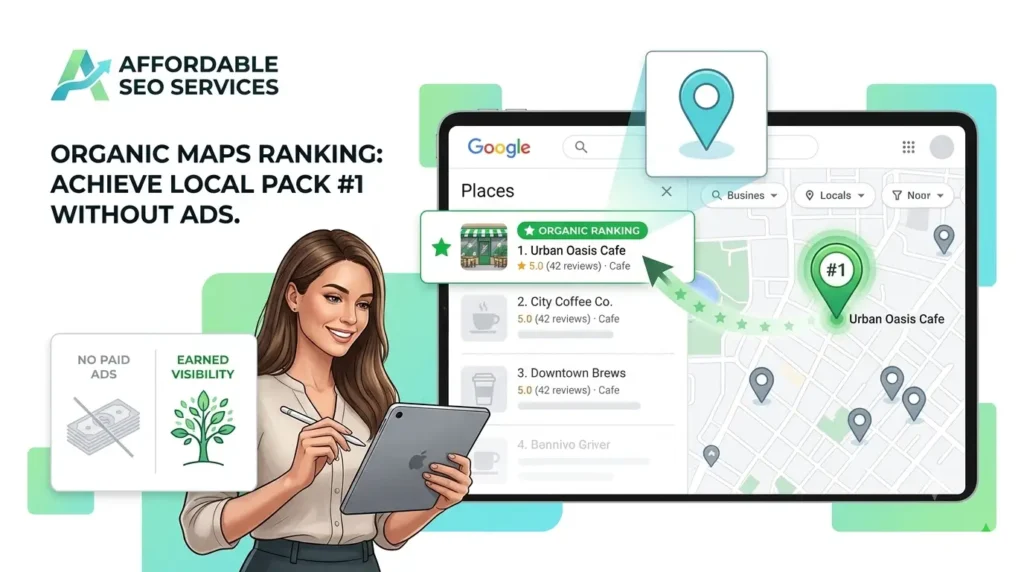
How to Rank in Google Maps Without Spending on Ads comes down to three things Google measures, which are how relevant your profile is to the search, how close you are to the searcher, and how prominent your business looks across the web. Your organic Google Maps ranking is the sum of those three. Get your Business Profile, reviews, citations, and website pulling in the same direction, and you climb the map for free. Most small business owners assume the top three spots on the map are bought. They are not. You can rank in Google Maps without spending on ads, and the businesses sitting in the Local Pack in your town earned those spots with organic signals you can build yourself. This guide shows you how to improve Google Maps listing performance with every signal that actually moves a listing up, from your Google Business Profile to the AI-driven local search features that arrived in 2026, and most of your competitors are still ignoring half of them. A spot in the Local Pack is worth fighting for. A SOCi study found that businesses appearing in the top three map results receive 126 percent more traffic and 93 percent more customer actions, things like calls, direction requests, and website clicks, than businesses ranking just below them. Those map pack clicks go to the top three, not to the listings below. Strong Google Maps SEO for small business owners is the highest return marketing work available, and everything in this guide is built to increase Google Maps visibility organically, with no media budget. This guide reflects how we approach local search at Affordable SEO Services, where we help small businesses climb the map without paying for ads. Whether you follow these steps yourself or hand them off, the playbook is the same. How Does Google Maps Ranking Work What determines your Google Maps position comes down to three core factors Google states publicly in its own support documentation, namely relevance, distance, and prominence. Local SEOs often shorten this to the relevance distance prominence model. Everything else you read about local SEO is a tactic that strengthens one of these three pillars. Relevance is how closely your Business Profile matches what someone typed. A plumber who lists water heater repair, drain cleaning, and sewer line service is more relevant to those searches than one who only writes “plumbing.” Your category, services, and description tell Google what you do and how well you match local search intent. Distance is how far your business is from the searcher or the place named in the query. You cannot move your pin, and that is fine. Strong relevance and prominence let you outrank closer competitors who have weaker profiles, which is exactly how a business two miles away beats the shop next door despite weaker proximity signals. Prominence is how well-known and trusted your business looks online. Reviews, citations, backlinks, and behavioral signals such as click-to-call and direction requests all feed it. Taken together, these are how Google gauges a local business’s E-E-A-T, its experience, expertise, authoritativeness, and trustworthiness. Local prominence grows with every review, citation, and link you earn, which makes this the one pillar you can build indefinitely, and it is where most of your organic effort pays off. If you have been searching for how to rank higher on Google Maps, the honest answer is that every tactic that works ladders up to one of these three pillars. There is no separate shortcut hiding behind them. The relative weight of these organic ranking factors keeps shifting. Whitespark’s Local Search Ranking Factors survey, which has polled local SEO experts annually since David Mihm started it in 2008, released its latest edition in November 2025 with 47 experts scoring 187 possible factors. Their consistent finding is that your primary business category is the single strongest individual relevance signal, while reviews and links dominate prominence. Why Google Maps Rankings Beat Ads in 2026 Paid local ads sit above the map, but searchers know the difference. You can rank in Google Local Pack without paid ads and earn more trust doing it, because a listing that earns its position carries credibility a “Sponsored” label cannot buy, and that trust converts into organic local traffic. The bigger reason organic ranking matters now arrived in March 2026. Google launched Ask Maps, a Gemini-powered conversational feature that lets people ask full questions inside Google Maps, things like “which electrician near me handles panel upgrades tonight.” Ask Maps rolled out first in the United States and India on Android and iOS, and according to Google, it does not run ads inside the feature at launch. It builds its answers from organic signals, including complete Business Profiles, review quality, and what your website says about you. A common misunderstanding is already spreading, so let me be precise. Ask Maps and the AI Overviews you see in Google Search are separate interfaces and are not wired together yet. What they share is the signal set that powers both. Agencies tracking the rollout, including ALM Corp, point out that complete profile data, strong reviews, and authoritative web citations improve your local business visibility in both places at once. There is a second AI shift worth naming. BrightLocal’s 2026 Local Consumer Review Survey found that the share of consumers using tools like ChatGPT for local business recommendations jumped from 6 percent to 45 percent in a single year. ChatGPT pulls much of its local data from Bing, which is one reason syncing your information to Bing Places now matters more than it used to. The businesses winning local search in 2026 are not the ones with the biggest ad budgets. They are the ones with the cleanest organic foundation, and you can rank on Google Maps for free by building it. This is local SEO without paid ads, and it works without paying Google a cent. Step 1: Claim and Fully Optimize Your Google Business Profile Your Google Business Profile, formerly Google My Business,